
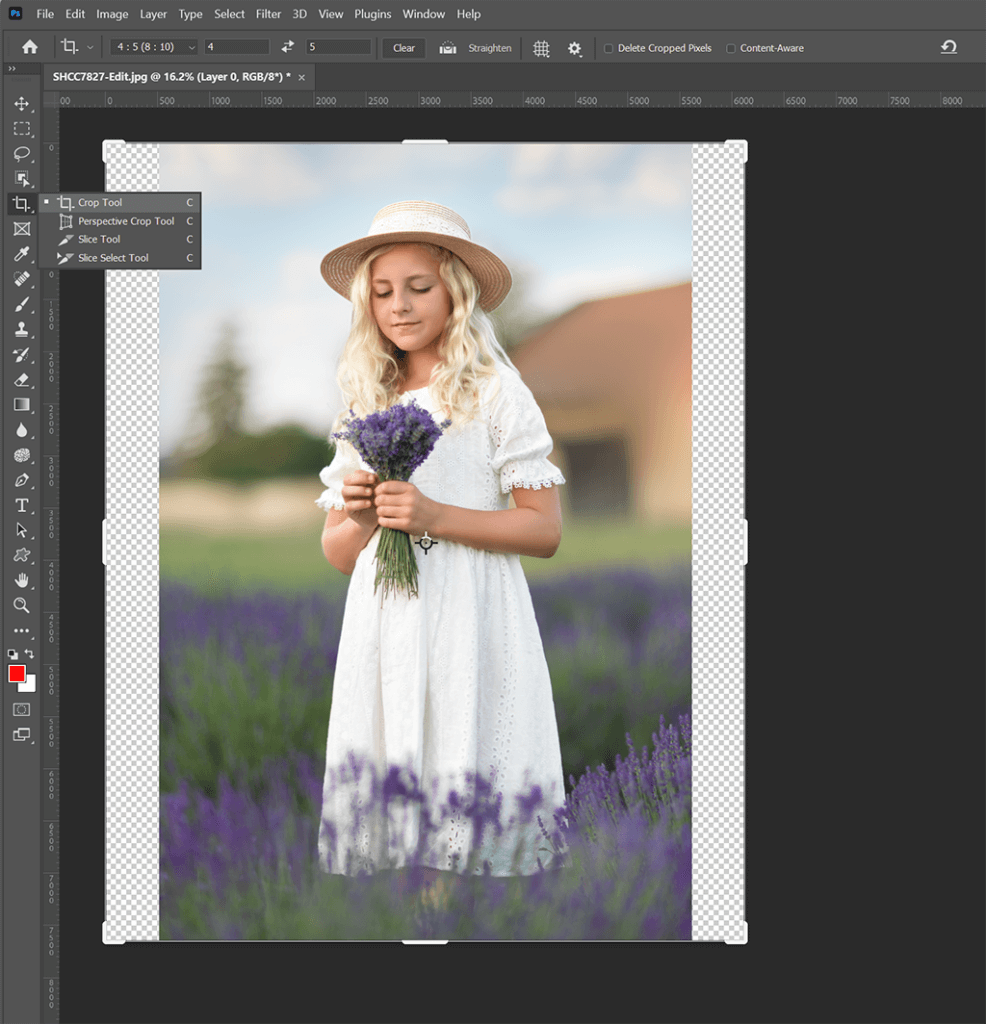
Photoshop Crop Aspect Ratios
In this tutorial, you’ll learn how to modify the crop aspect ratios of images in Photoshop to fit different requirements beyond the original aspect ratio.…
Class Duration
8 min
Skill Level
All
Inside This Class
In this tutorial, you’ll learn how to modify the crop aspect ratios of images in Photoshop to fit different requirements beyond the original aspect ratio.
- How to adjust a 2:3 aspect ratio image captured by your camera to fit a 4:5 aspect ratio (ideal for Instagram) or 8:10.
- Techniques for adding pixels to specific edges to seamlessly adapt your image to the new dimensions.
Master the art of resizing and cropping while maintaining the integrity of your images for various platforms and prints!
Flexible Access
Watch This Class Your Way
Choose the option that suits you best and start learning right away.
- Instant access to this class
- Lifetime access with individual purchase
- Upgrade to membership anytime
- Full class library included with membership
Membership Access
From
$29/month
Access the full class library and every new class added
Unlock All Classes
9 reviews for Photoshop Crop Aspect Ratios
You must be logged in to post a review.
Ann Harrison –
Very helpful Daniel, thank you!
Julie Tyler –
Well done
alonso.castaneda51 –
Another great tutorial. Thanks Daniel
Amanda Paulovich –
Love the short format, packed full of useful tips!
Daniel Venter –
Thank you so much! Many more short format tutorials being prepared!
Chad Kotter –
I’m relatively new to Photoshop and find things like this very valuable! Such a simple, but useful tool!
Vanessa Sioen –
i really dident know this yet, thank u! very very helpfull!
Theresa Hart –
This is incredibly helpful Dan! I can’t tell you how often I have wanted to do something like this.
Penprapa Berry –
Thank you so much! I learned something new again today! I am so glad that I found and joined your workshop!
Sabrina Olenik –
Never seen this technique! Extremely helpful!
Daniel Venter –
Thank you so much! There’s going to be another version of the tutorial out soon!